Online text analysis — Istio
Estimates keyword density, filler content and stuffing. Analysis works for English, German, Russian, Ukrainian, Spanish, French, Portuguese and Polish.
Istio text analysis evaluates keyword density, filler content and keyword stuffing. Search engines judge quality and relevance by the words and phrases a text contains.
Texts with enough relevant key phrases rank better. Articles full of filler and too few keywords struggle to reach the first results pages. Overstuffed texts are treated as spam and are rarely shown.
What text analysis shows
SEO text analysis lets you assess keyword percentage and stop-word count. The service shows:
- Keyword density and ratio to the text core
- Word and character counts, with and without spaces
- Vocabulary size and core dictionary
- Word frequency, including the top 10 most used words
- Detected language and approximate topic
- Filler (fluff) percentage
Istio automatically counts characters and evaluates stuffing and filler. Keywords and filler are highlighted, and a clear frequency chart is drawn.
Keyword density and stuffing check
The stuffing index shows how overloaded a text is with keywords. The higher the index, the more search engines may treat the page as low quality.
Enter queries in the Highlight Keywords field; the service outlines them in color.
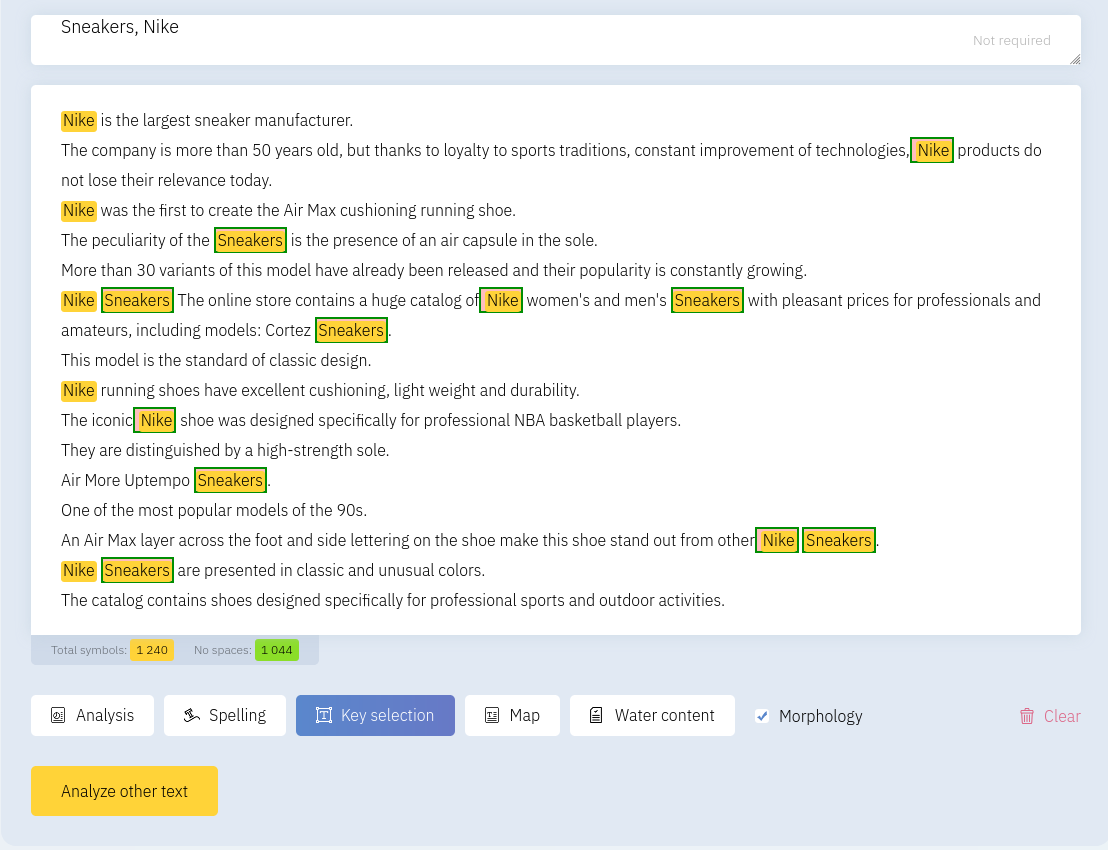
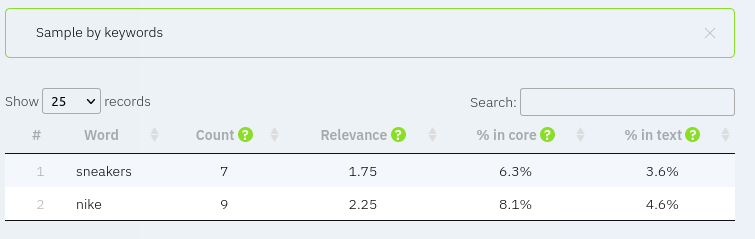
Counts and percentages of key phrases in the core and the full text appear at the bottom of the page.
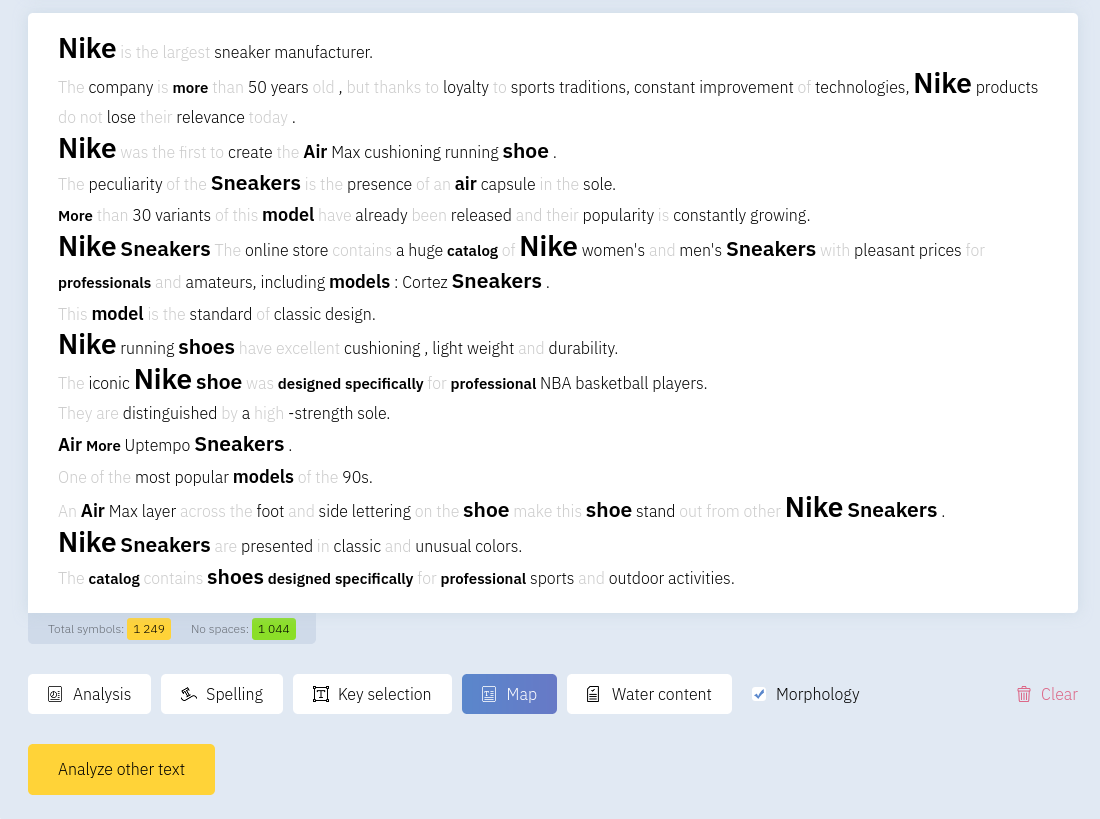
The word map visualizes frequently repeated units and their spacing in the text.
Filler content
Filler analysis finds stop words, empty phrases and connective constructions with little meaning. Removing them usually improves quality without changing the message.
The service highlights words and phrases that add little information and suggests deleting or replacing them.
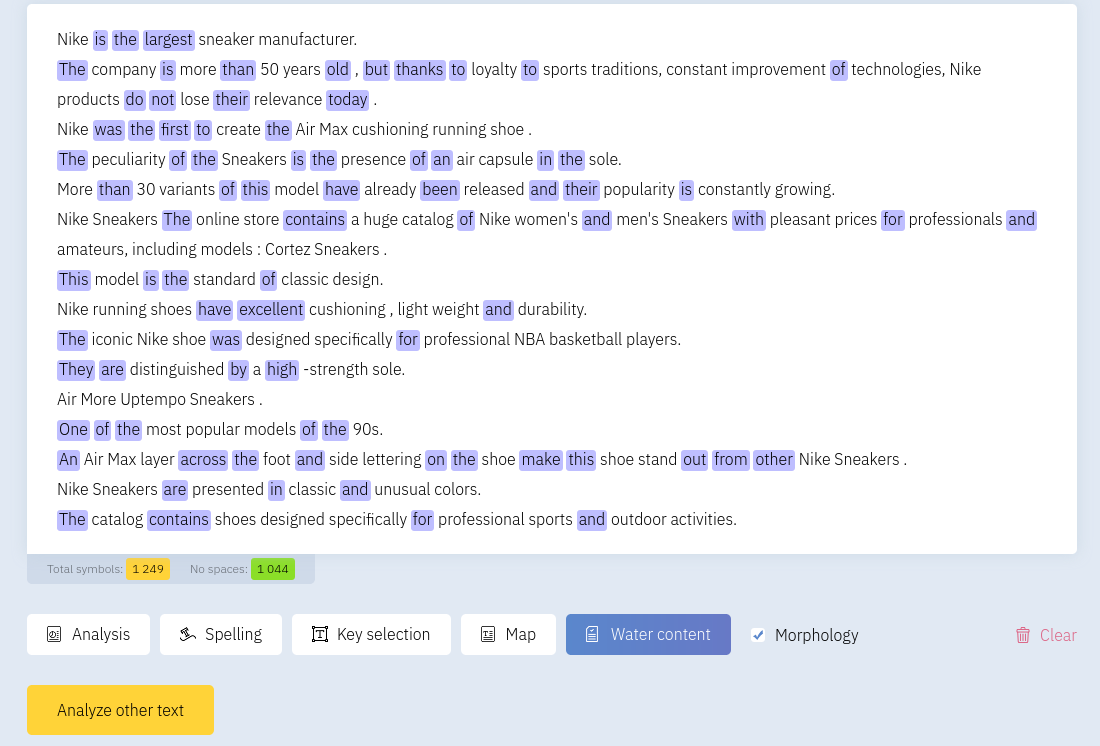
Some filler is natural in any text; keep it as low as practical for clearer, more SEO-friendly content.
Character count and word frequency
Below the text you will find character counts (with and without stop words) and unit frequencies. Keyword density is shown separately relative to the full text and to meaningful phrases.
To check filler, keyword density and phrase frequency:
- Open Text Analysis and paste the article
- Optionally enter keywords in the keyword list
- Click Highlight Keywords to see their positions
- Open the map to see the most frequent units
- Click Filler to highlight insignificant phrases
Istio works without registration and does not limit the number of characters you can check.